Blog · 2026-09-24
Lecturameter 1999: the app as a desktop program from a quarter of a century ago
An alternative Lecturameter client with windows, menus, tables and an LCD timer, that opens your real backups. Where it comes from, what it has and what it leaves out. Coming free to Play Store and App Store.
Where it comes from
This month I had two fronts open: the iPhone version and Android 3.7. Both have gone better than planned. Bringing Lecturameter to iOS is turning out easier than I expected, and 3.7 was already half done when I sat down to plan the rest of the month.
With that margin I allowed myself an experiment I had been circling for a while: rebuild the idea of Lecturameter from scratch, several times, under radically different design premises. Without touching the real app and with no intention of replacing it. Seven versions came out. One imitated a 2016 Android app, another imagined what it would look like in 2036, another turned the library into a bookshelf with spines that get thicker as you read, another was designed for a handheld console with two screens.
The one I liked most was 1999. A late-nineties desktop program: dense, utilitarian, everything in windows, menus and tables. The next day I decided to finish it as a fun exercise and turn it into a complete client, with the real Lecturameter data underneath.
What it is
Lecturameter 1999 is a standalone app, separate from Lecturameter. When you open it you see a single maximized window over a teal desktop. At the top, the title bar and the menus: File, Edit, View, Session, Reports and Help. Below, a toolbar with pixelated icons. The central area is split in two: a tree with the library and a preview pane with the cover, and a table with one row per book. At the bottom, the status bar with the number of items, the total time and the book you are reading.
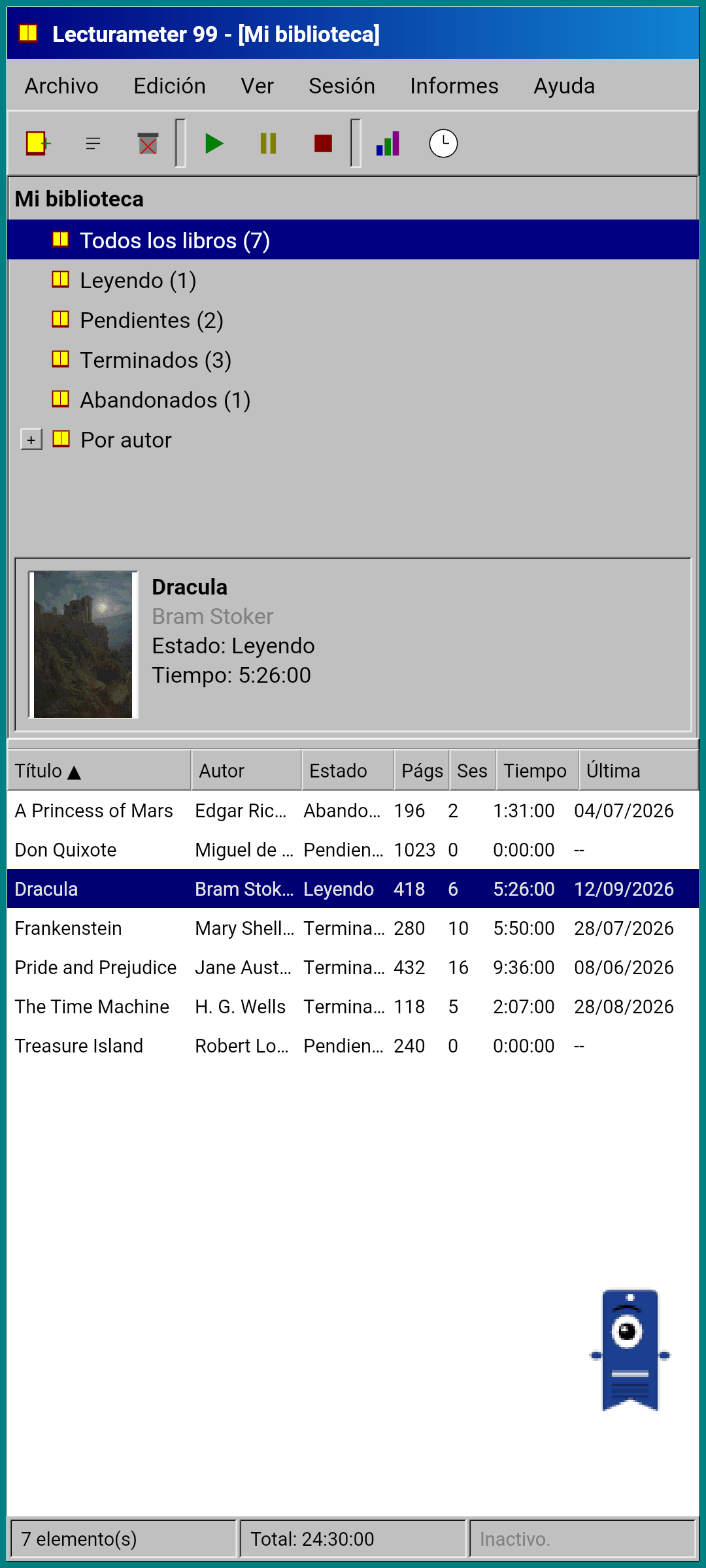
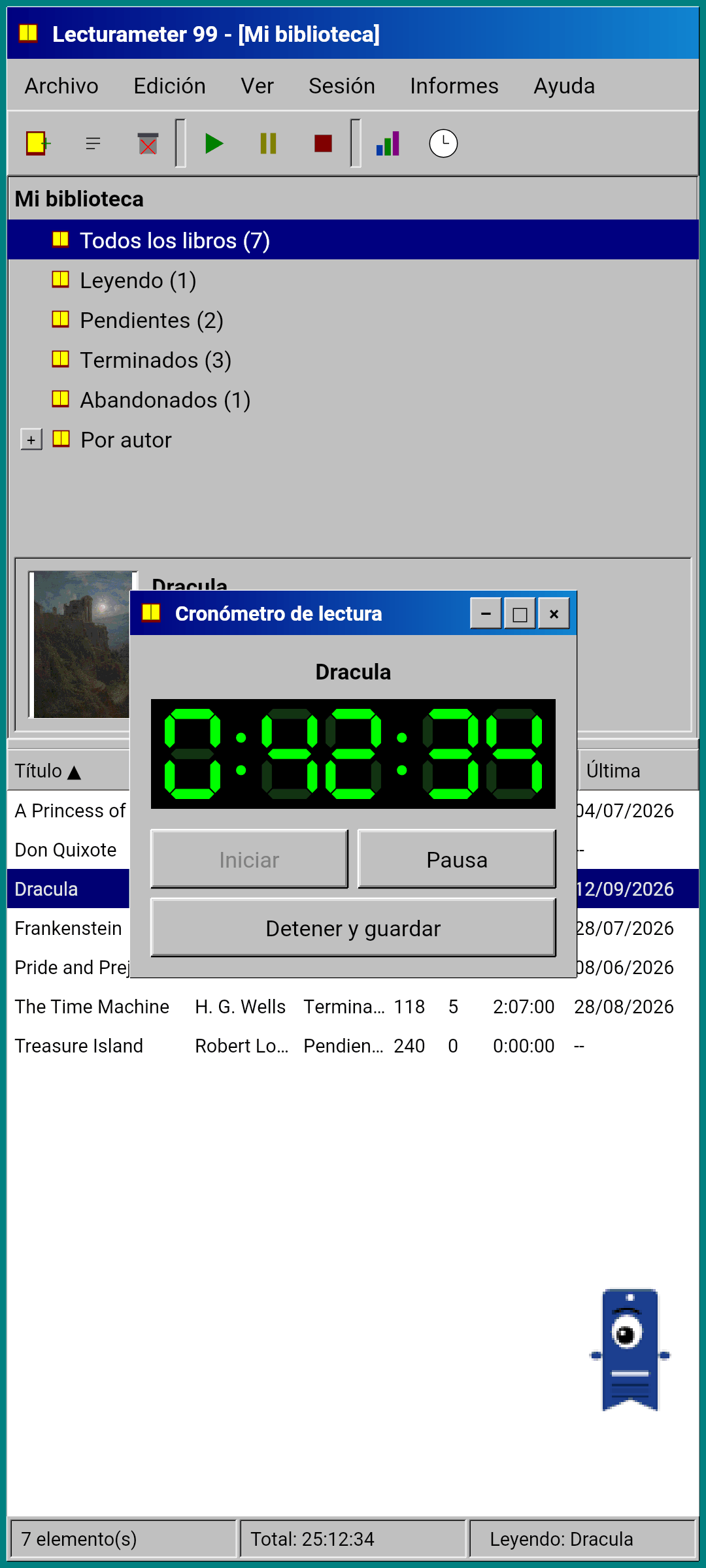
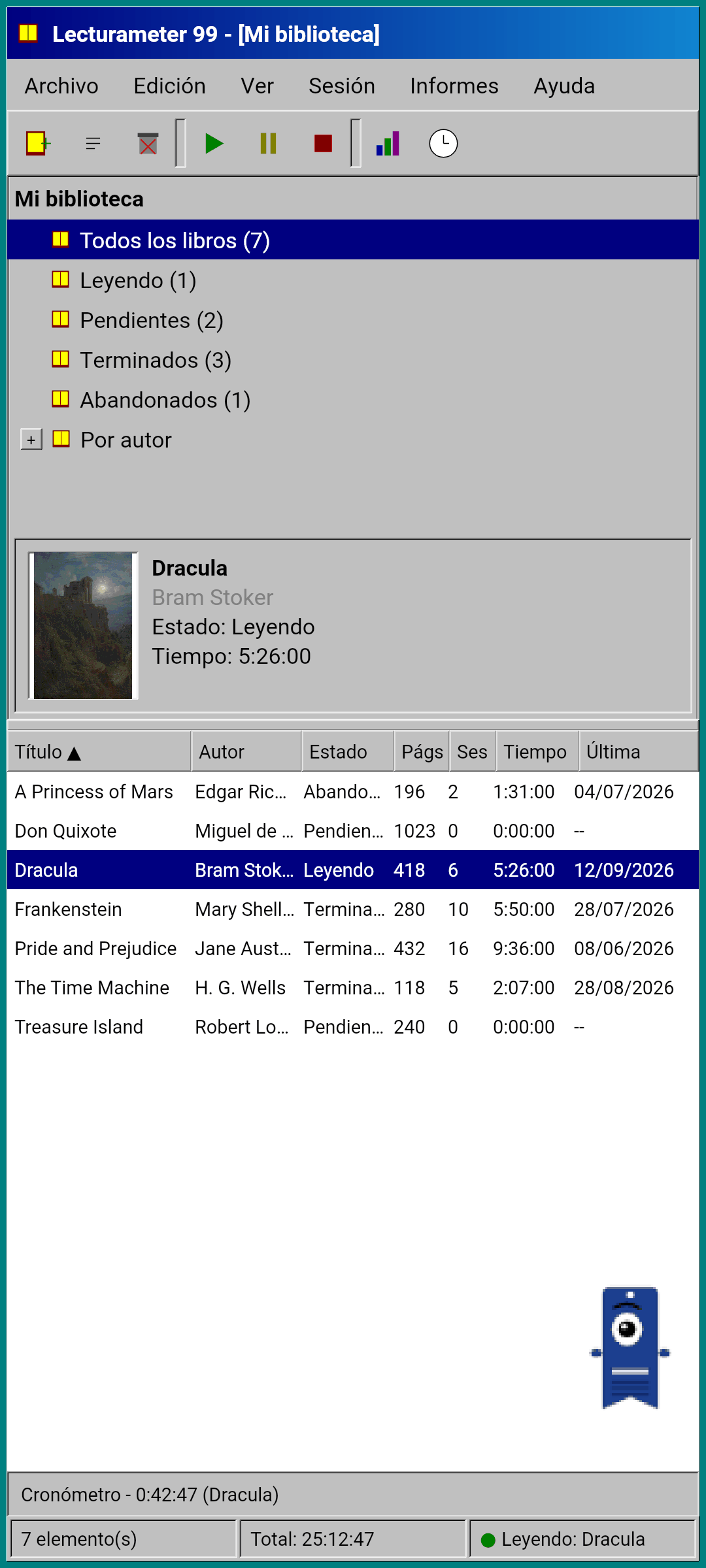
The screenshots are in Spanish, but it will ship in the same languages as Lecturameter.
The same data as Lecturameter
This is the part that turns the experiment into something usable. Under the 1999 shell sits the real Lecturameter data model, copied as is: the same books, the same sessions, the same statuses, ratings and notes. The backup it exports is the same file Lecturameter exports, and the one it imports too.
In practice that means you can go to File, import your backup and see your whole library in a 1999 table. Read for a week with the LCD timer. Export. Go back to the modern app with the new sessions and without having lost a single field along the way. The Goodreads CSV goes in and out as well.
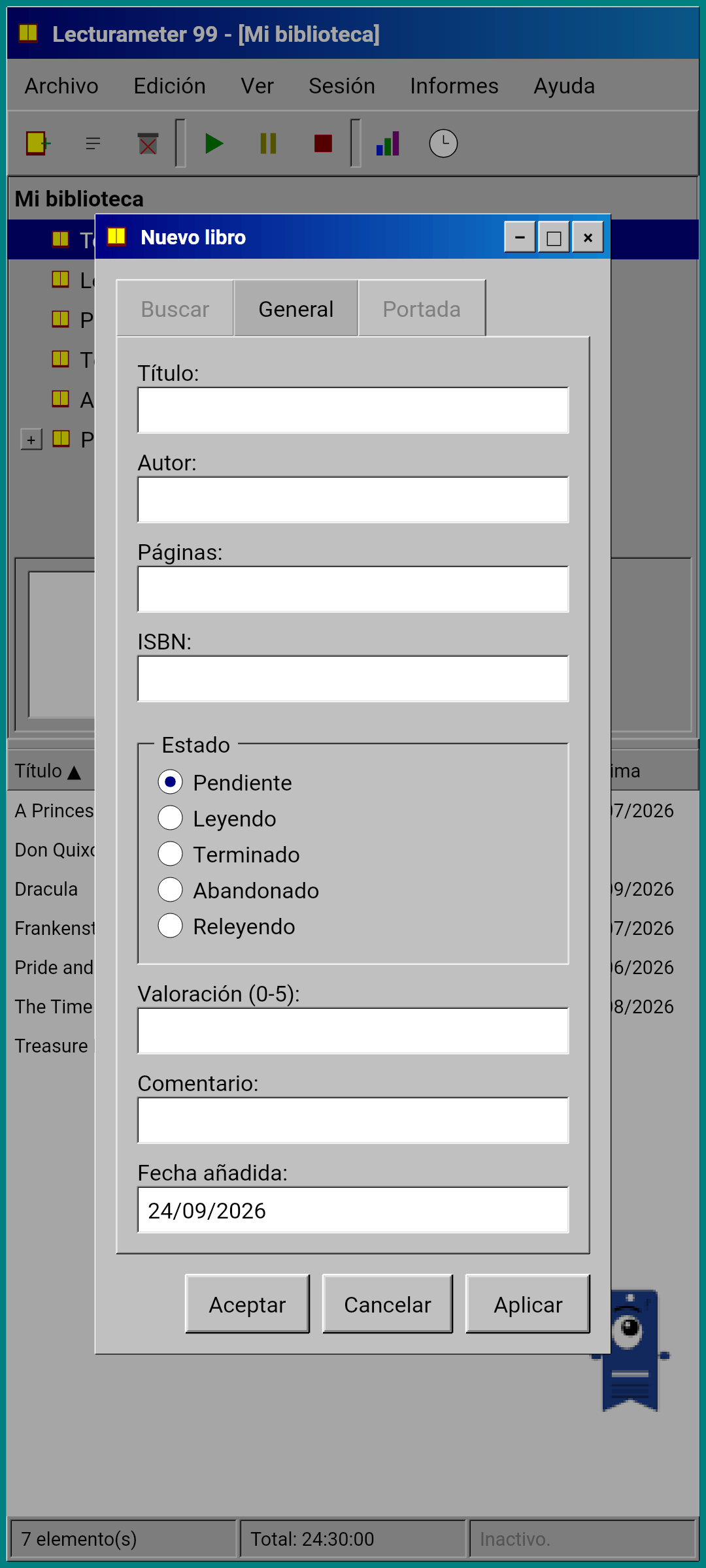
Book search is the same as in Lecturameter: it queries the app's own catalog and Google Books, and fills in title, author, pages, ISBN and cover. The cover is posterized and drawn without smoothing so it looks like a GIF from the time.
Sessions, history and report
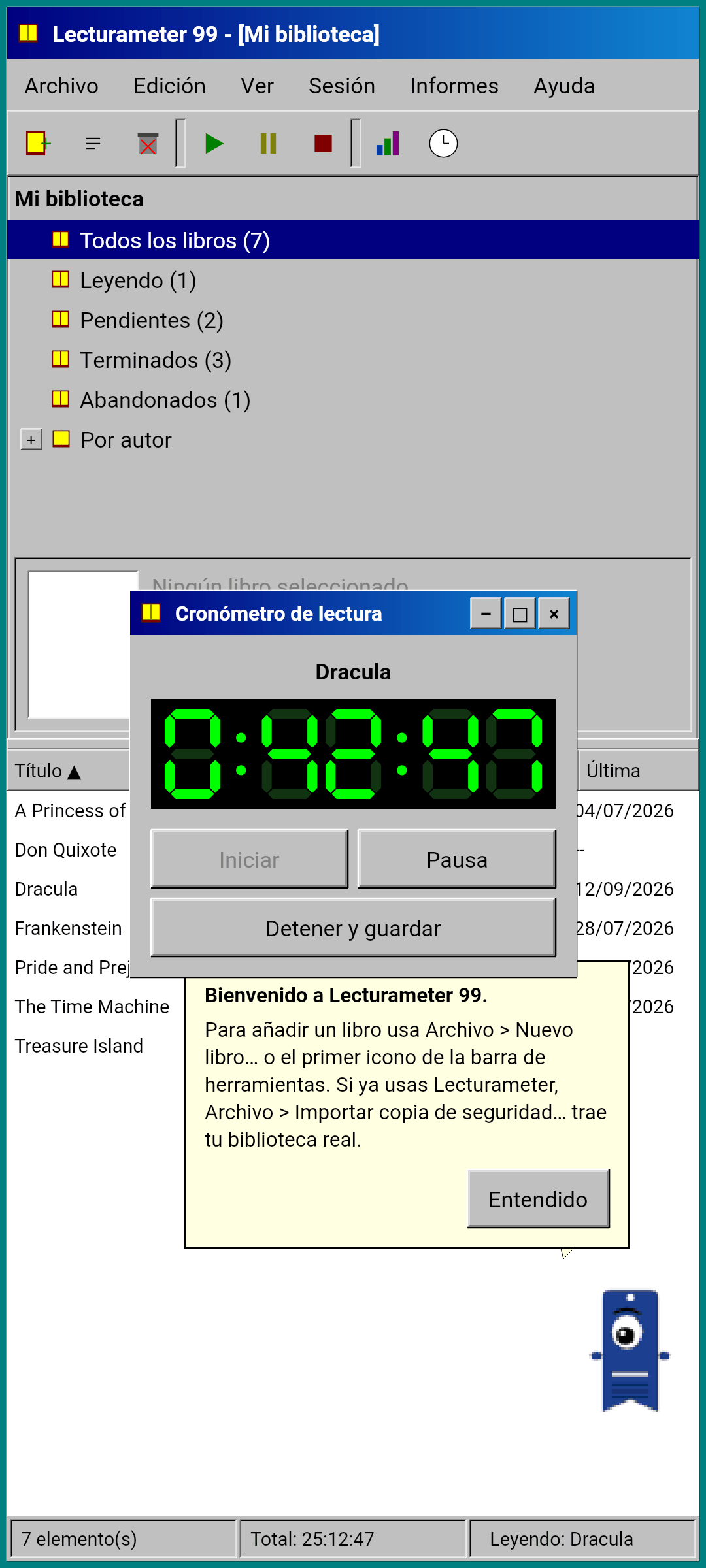
The reading flow is Lecturameter's, translated into windows. You select a book in the table and press the play button. The timer window opens, with a seven-segment display in green on black. You can move it, minimize it to a taskbar or close it: the time keeps counting in the status bar.
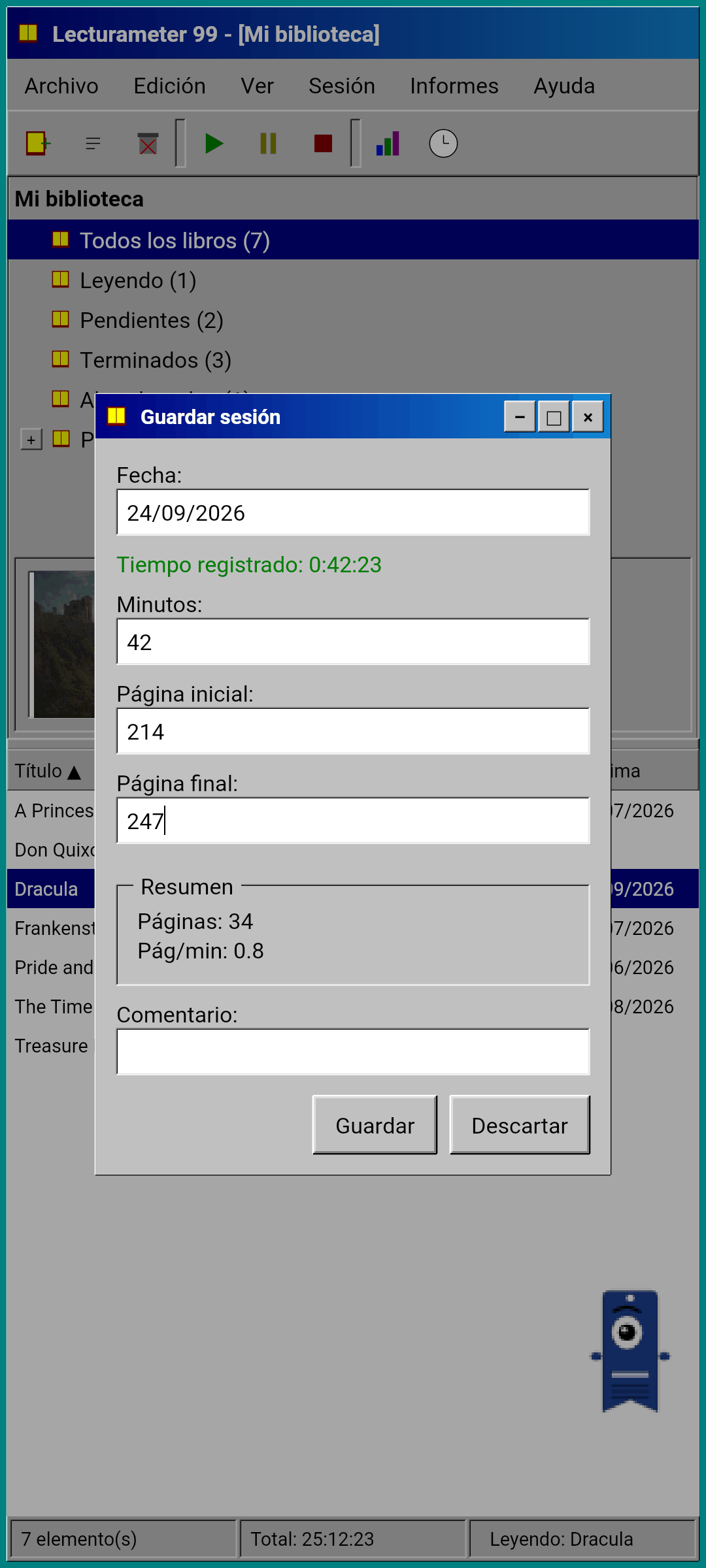
When you press stop, the save session dialog opens: date, minutes, first and last page, comment. The summary works out pages and pace as you type. If you reach the last page of the book, it asks whether you finished it. Manual sessions are added from the Session menu.
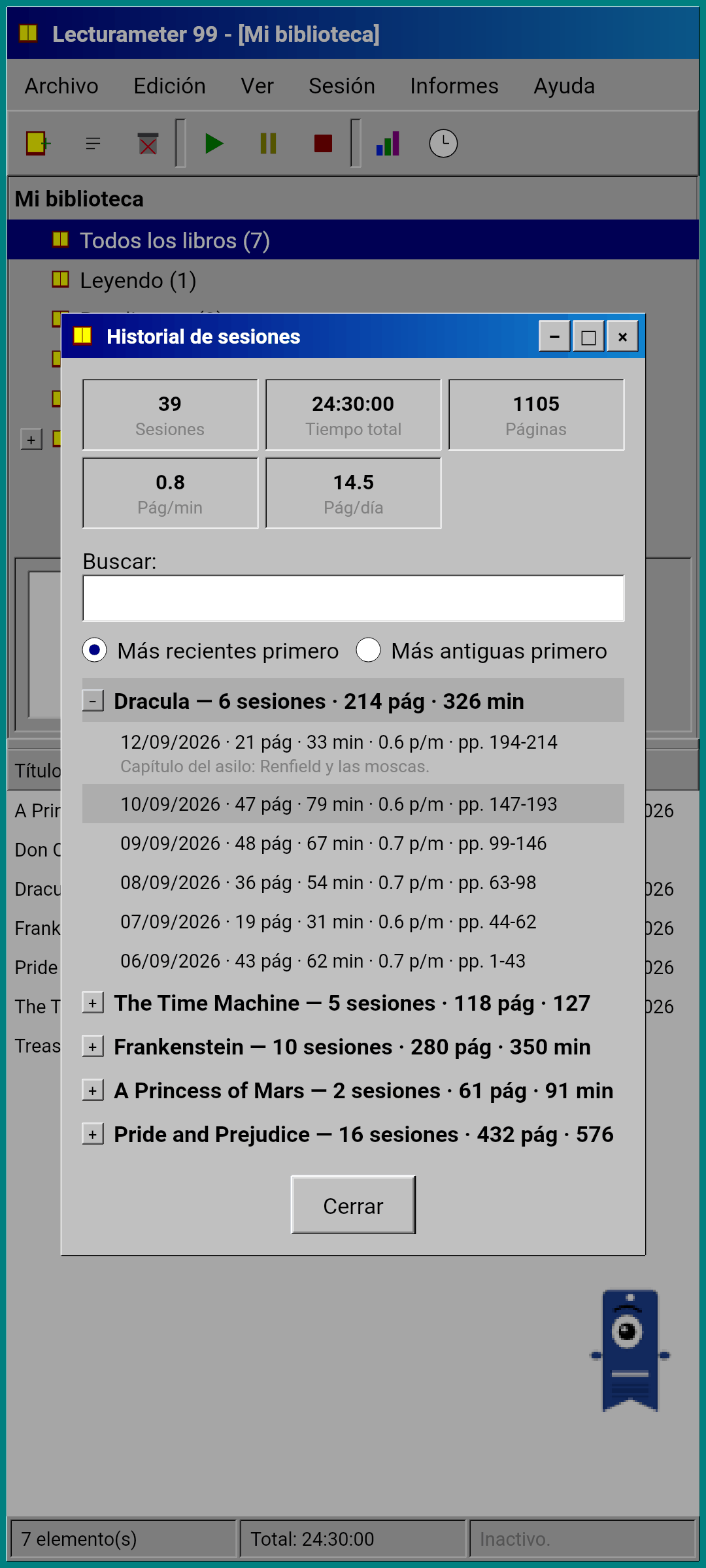
The history groups sessions by book in a tree with plus and minus, with five figures at the top: sessions, total time, pages, pages per minute and pages per day. Double tap a session to edit it, long press to delete it.
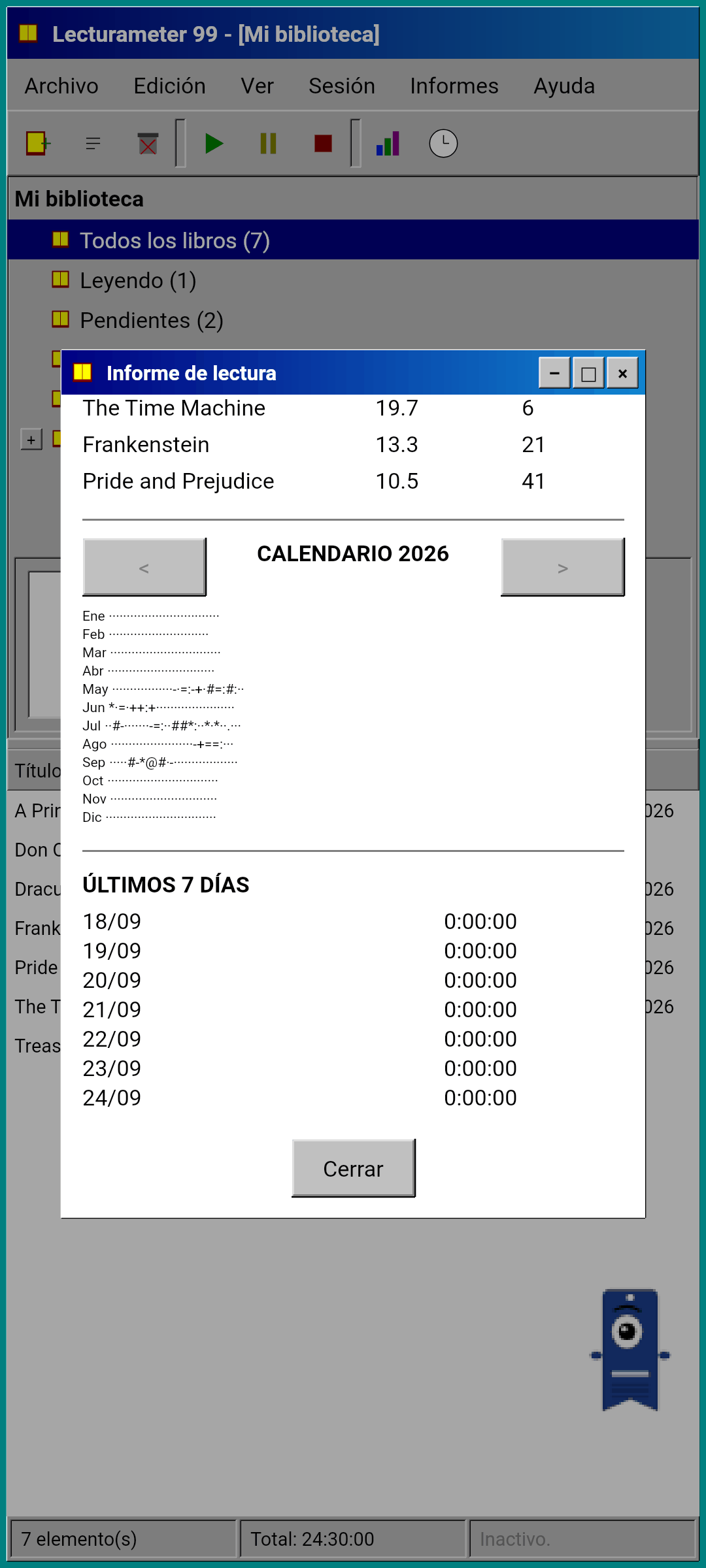
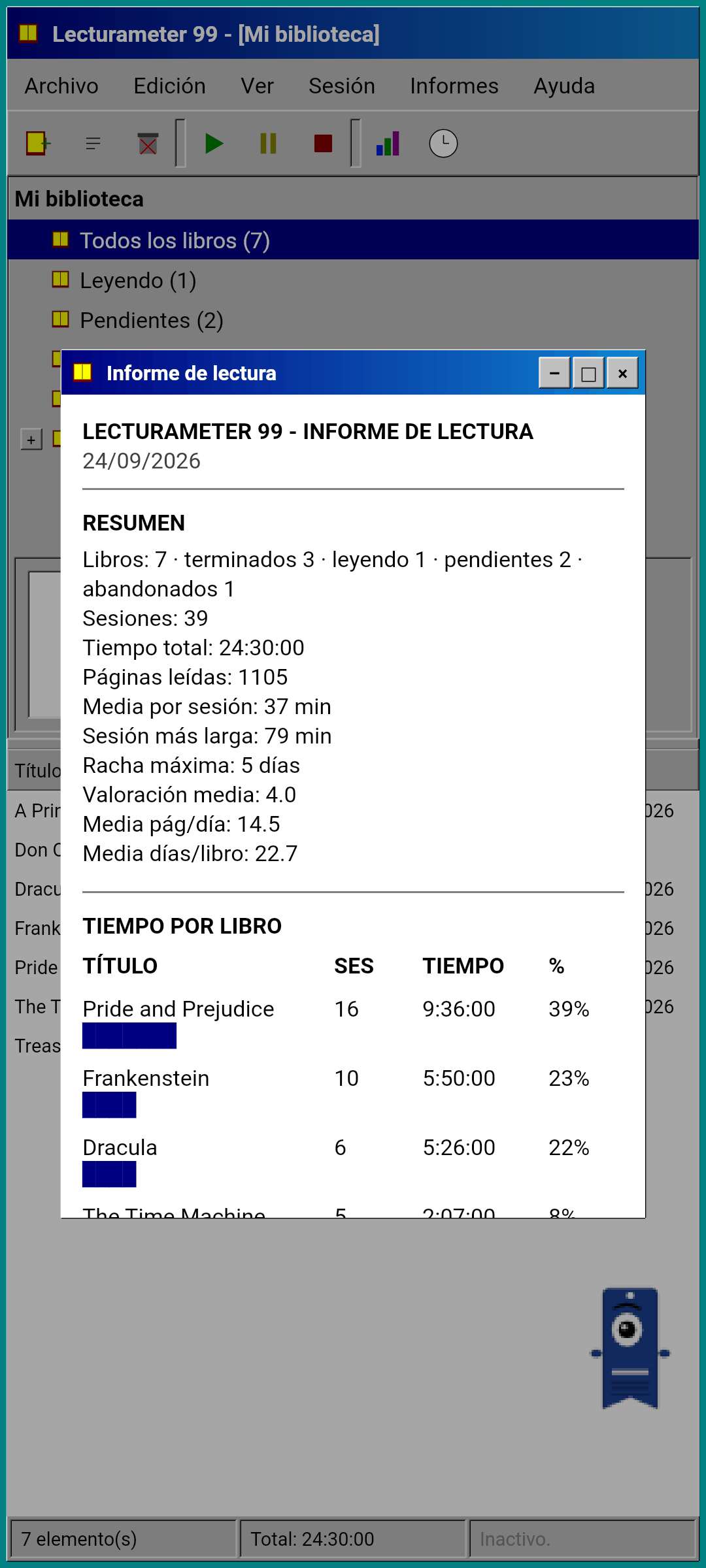
Statistics are a reading report in monospaced text, as if it came out of a printer: a summary with longest streak and average rating, time per book with block bars, speed in pages per day, a calendar of the year drawn in characters according to the pages read each day, and the last seven days.
Pagi 99
Pagi travels to 1999 too. It is the same one-eyed bookmark silhouette, but pixelated, and it roams loose on the screen like the office assistants of that era. You drag it with your finger, it says a short line when you tap it and it changes expression depending on what you are doing: it thinks while you search for a book, reads while the timer runs and celebrates when you save a session or finish a book.
The app's tips appear in yellow balloons anchored to Pagi, once each. If you want to go over them again, they are under Help, in Tip of the day.
What it leaves out, on purpose
Lecturameter 1999 is simpler on purpose. It is an experiment and, in principle, it will not get any further development after release. New features will keep coming to Lecturameter.
The rule while building it was strict: if something does not affect the personal reading flow, it stays out. So Lecturameter 1999 has no Pro, and everything in it is included. It also has no challenges, bingos, yearly wrapped, widgets, themes, immersive session, ambient sounds or Google Drive backup. The backup is saved as a file wherever you choose.
What it does have, and Lecturameter does not, are real windows, the text report, the context menu on long press, keyboard shortcuts if you connect a keyboard and a Pagi that fits in a GIF.
It will ship in the same languages as Lecturameter.
When
It will come to Play Store and App Store, free, after Lecturameter for iOS and version 3.7 are out. It is finished and running on my phone. Testing with my real library and the last details remain before publishing it. When it is available I will announce it here, on X and on Reddit.
In the meantime, Lecturameter is still Lecturameter, with its themes, its challenges and its bingos. The 1999 edition is another way of looking at the same data.
While you wait, Lecturameter on Android
Keep reading: Lecturameter 1999 on the home page · Reading time or pages? · Reading Timer
